Game Servers
A dedicated Ubuntu VM running CubeCoders AMP, hosting multiple game servers for me and my friends.
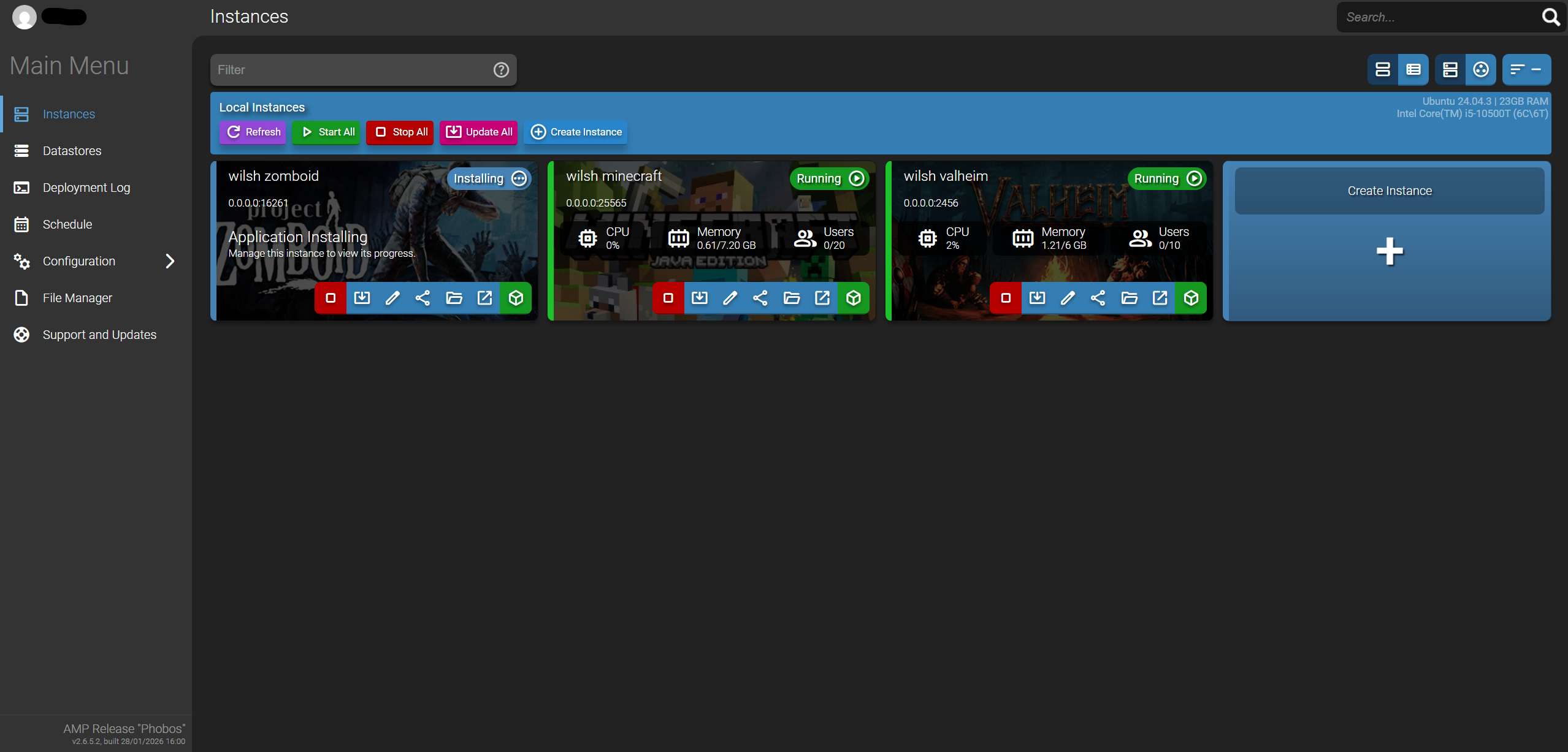
AMP Instance dashboard — hosted on gameserver VM
The Setup
All game servers run inside a dedicated Ubuntu Server VM on Proxmox — gameserver at 192.168.1.249 — allocated 24GB RAM and 6 CPU cores. That gives enough headroom to run multiple all the current servers I've built on there (Modded Minecraft, Modded Zomboid, Vanilla Valheim). Servers are spun up on demand rather than run 24/7, no point keeping them running if we're all on different games.
CubeCoders AMP
The original plan was Pterodactyl. After spending a decent amount of time on it and hitting endless issues (mainly with port forwarding), I eventually traced the root cause — my ISP had me behind a CGNAT. Getting a static IP sorted that, but by then I'd already moved on to AMP, as I thought the issue might be with Pterodactyl.
Glad I did. AMP is significantly simpler to setup — spinning up a new server is a matter of picking the game from a list, configuring a few settings and clicking start. The web interface is a lot cleaner than Pterodactyl was. Security on the site is good too, allowing for 2FA.
The Servers
- Minecraft — Java Edition survival server. The most straightforward of the three to set up. Mods will be added at a later date.
- Valheim — Password protected for friends. No major issues getting it running. Haven't been on this one too much.
- Project Zomboid — the trickiest of the three. Modded servers hit a known bug on the current version of the dedicated Linux server — turns out it's a widely reported issue with the latest release rather than anything specific to the setup. Vanilla runs without issue.
Monitoring
Node Exporter runs on the gameserver VM and exposes system metrics — CPU, RAM, network and disk usage. Prometheus on the displayserver scrapes these metrics on a regular interval and Grafana visualises them in a dashboard.
What's Next
More games will be added over time — AMP makes this easy enough to do.